Run several coding agents at once: how parallel streams work
Updated 10 November 2026
NeverMetered doesn't count tokens. Plans are priced by parallel streams: how many requests can be generating a response at the same moment. One agent working through a task uses one stream while it waits for the model. Three subagents working at once use three.
What counts as a stream
| What your tool is doing | Streams used |
|---|---|
| One agent waiting for the model's answer | 1 |
| Three Claude Code subagents all waiting at once | 3 |
| An agent running tests, reading files or idle while you read | 0 (nothing is generating) |
| A CI job and your editor both mid-request | 2 |
A stream is only in use while a request is actually generating. Time you spend thinking, and time your tool spends running commands, don't count. That's why one stream is enough for most solo work, and why parallel subagents are what push people up.
What happens when you go over
- 1
Within your streams
Requests run straight away.
- 2
Past your streams, within your queue
The extra requests wait briefly in a fair queue and then run. Your tool just sees a slightly slower first token. Nothing is rejected.
- 3
Past the queue
The request is turned away with an HTTP 429 and the code
concurrency_limit_exceeded, with aRetry-After: 1header. Good tools retry automatically after a second. The message names your plan's numbers, for example "your plan allows <N> running and <M> queued".
Seeing it on your dashboard
Your plan's numbers are on Plan & billing: parallel streams, queue allowance, output limit per request and context window.

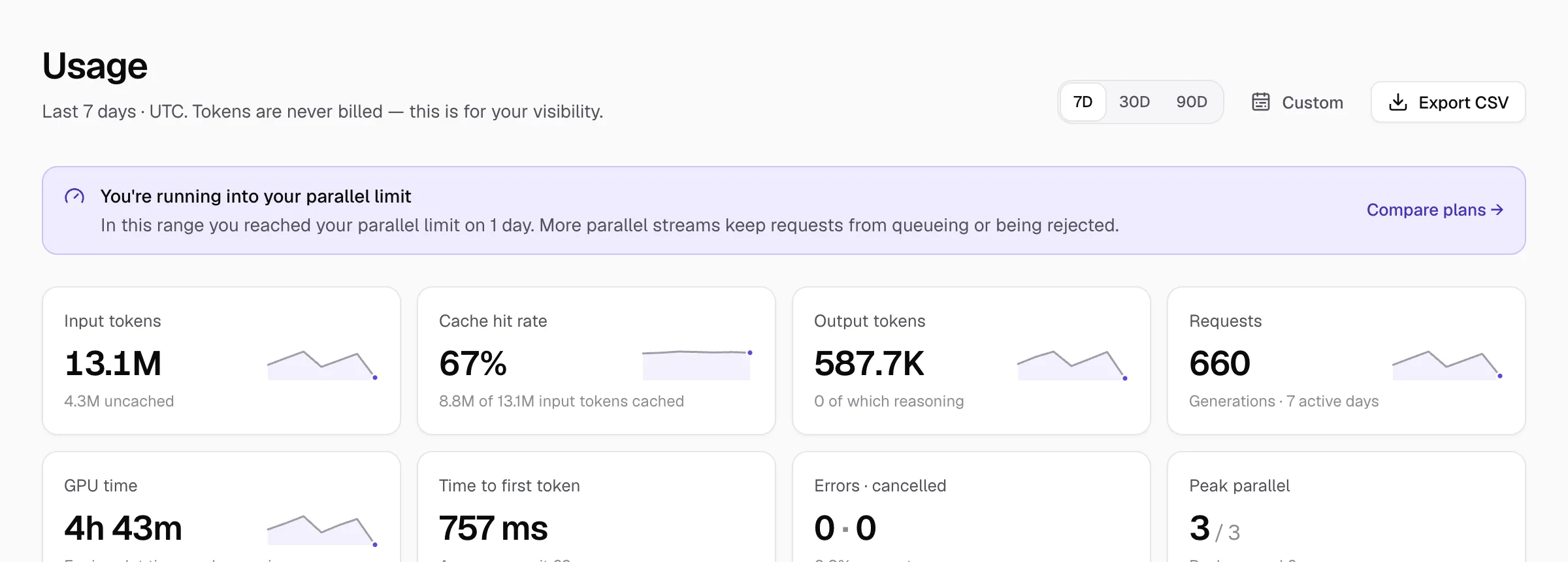
The Usage page shows Peak parallel (for example 3 / 3) and Peak queued. When you've hit your limit it says so at the top and links to the plans.
Stop one job hogging all your streams
Say a nightly refactor agent and your interactive session share a plan. If the agent fires three requests at once, your interactive session waits. Give the agent its own key with a cap: in the key dialog open Advanced: limit parallel streams and set Max parallel streams. Leave it blank for a key that can use the plan's full limit.
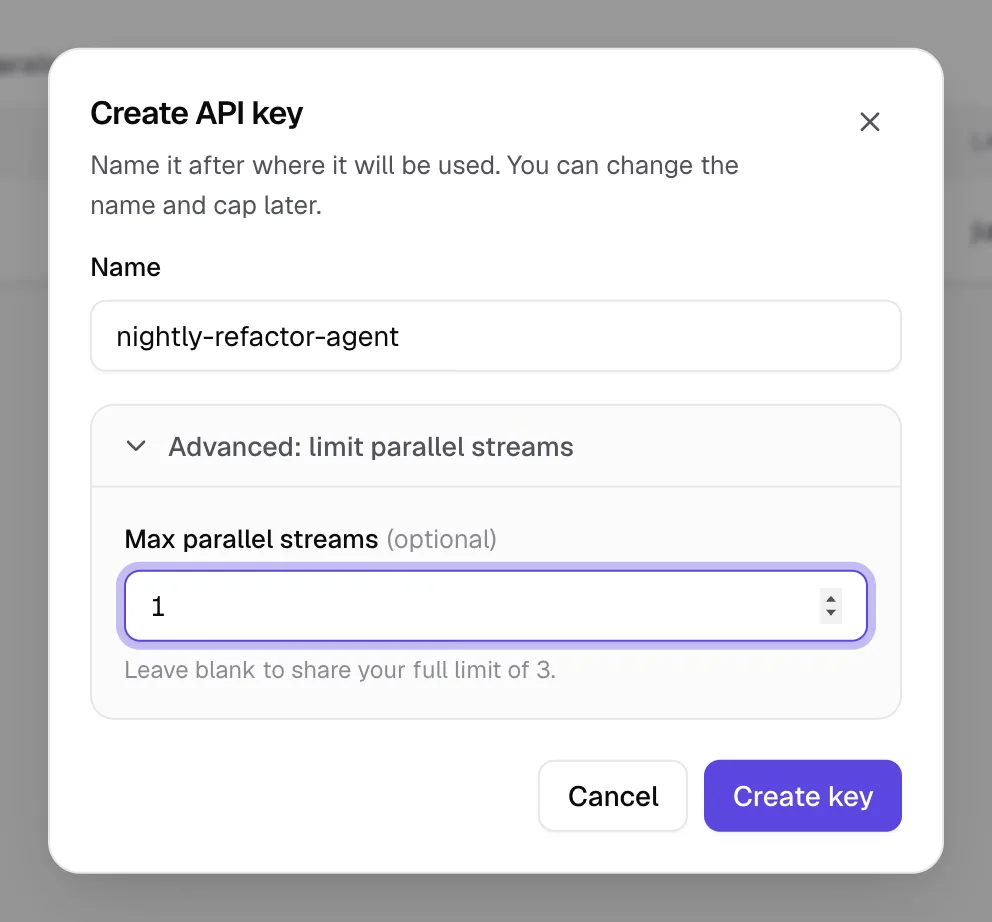
If a capped key goes past its own cap, its requests get the same 429 with the message "Too many concurrent requests for this API key." You can change a cap later from the key's three-dot menu (Rename or set cap). More on this in one API key per project.
Getting more out of the streams you have
- Lower your tool's parallelism first: fewer concurrent subagents, a smaller batch size or fewer simultaneous CI jobs. Queued requests are fine, rejected ones are what to avoid.
- Cap background or batch jobs with their own key, as above, so your interactive work always has a stream free.
- Look at Peak parallel over a week on the Usage page. If you only touch your limit for a minute a day, a bigger plan won't change much. If it sits at the limit all day, it will.
- Need more? Compare plans: the difference between plans is how many streams you get.
Are tokens counted or billed?
Do queued requests time out?
request_queue_timeout and nothing is generated. Retry with a short backoff and give your tool a generous request timeout.Does a longer prompt use more streams?
What does Claude Code do with its subagents?
- NeverMetered pricing and plan limits (checked 10 November 2026)
- How NeverMetered runs (checked 10 November 2026)